They always
pick Standard.
Not because they want the base package. Because they can't picture what they're paying for.

Under a week
Send option sheets. Buyers use it by Friday.
Done for you
We handle setup. You keep selling.
Zero disruption
Same appointments. Same workflow.
Before and After
A price sheet
doesn't sell. It lists.
What buyers see today
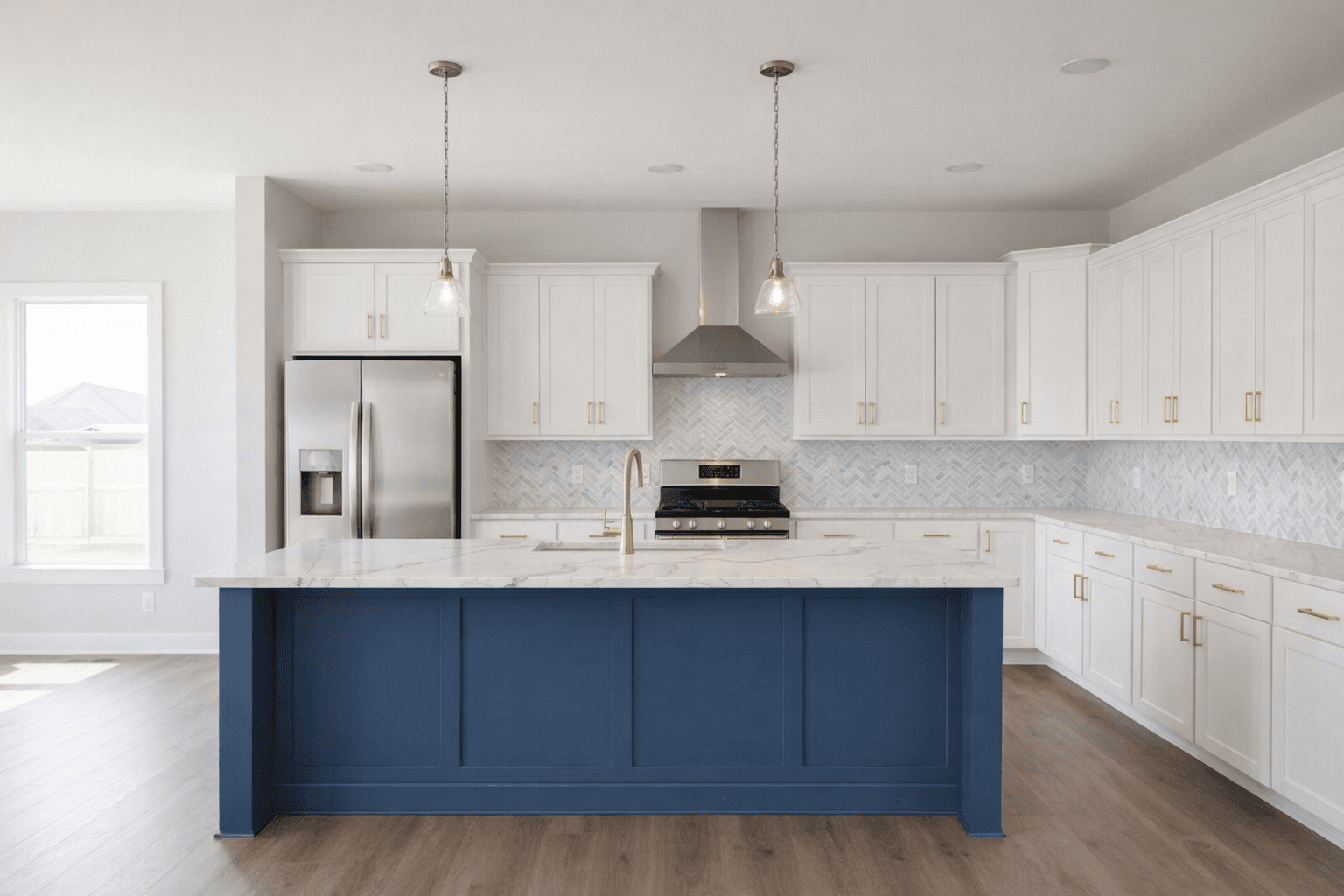
What buyers see with Finch
What buyers see today
What buyers see with Finch
This demo uses a real builder's catalog and pricing. Yours will show your finishes, your prices, your floor plans.
Try It LiveYour Numbers
Plug in your numbers.
Avg. upgrade spend
per home
Annual closings
homes per year
Upgrade lift
per buyer
Additional revenue
$150K
per year
Buyers upgrade what they can see. The ones who can't picture it default to Standard.
In our first test, a buyer actively trying to minimize spend still chose 40% more after seeing their selections. We start at 15% because it's conservative. See how public builders compare.
Why This Exists
We spent 40% more and felt better about every dollar.
My wife and I bought a new construction home in Auburn, Alabama, partly as an investment, so the goal was to keep costs low. We wanted to upgrade the kitchen, but all we had was a price sheet. Even with samples in hand, you can touch each piece, but you still can't see what it all looks like together.
So I built a tool that showed us. We spent 40% more than planned, felt great about every choice, and never second-guessed a single one.
Your buyers want to upgrade. They just need to see it first.
Rashaad, Finch
The Data
$78K per home. That's what public builders report in upgrade revenue.
Toll Brothers and PulteGroup disclose it in SEC filings. Most builders don't track it this closely. We pulled the numbers.
Read the ResearchHow It Works
We build it. Your buyers use it. You get the revenue.
01
Send us your floor plans and pricing
Your current option sheets and a few model home photos. Whatever you have works. We handle the rest.
02
We build your upgrade experience
Your finishes, your prices, your brand. First plan live in under a week. Update pricing or swap options yourself through the admin dashboard or send us the changes.
03
Buyers see their kitchen before they commit
They pick options and watch the room change. Not a line item on a sheet. The actual kitchen with their selections applied.
04
You get priced selections back
Every session exports a selection sheet with pricing. Ready for your sales team. No re-entry.
No software to learn. No data entry. No IT department required. First plan in under a week. Full catalog in days, not months.
Start Here
Fifteen minutes on
a real floorplan.
We'll walk through the full buyer experience together: selections, visualization, price tracking. You'll know if it fits before the call ends.
No upfront cost. No commitment. Just your floor plans.
Live in days, not months
We handle setup using your option sheets and model home photos. You don't touch a thing.
Nothing changes for your team
Same design appointments, same workflow. Buyers use it themselves. Your team gets a priced selection sheet.
Start with one community
Your buyers use it, we measure upgrade revenue together. Expand when the numbers make sense.
Not ready to book? Leave your info and we'll reach out.
Common questions
First community is live in under a week. Additional floor plans are typically a day or two each. You send us your option sheets and model home photos. We do the rest.
Pick your best-selling community. Send us the option sheets and model home photos. We build it in days, not months. Real buyers use it during real design appointments. We measure upgrade revenue together. If the numbers work, we expand to more communities. If they don’t, you walk away.
Buyers open a link, pick finishes from your catalog, and see the room update with their selections. It works on any device, takes a few minutes, and exports a priced selection sheet when they’re done. No app download. No account required.
No. Finch fits into your existing design appointments. Buyers use the tool themselves. Your team gets a priced selection sheet, same as today.
We set up your first community at no cost so we can prove the value together. After that, pricing is scoped to your community count. We’ll walk through it once you’ve seen the results.
Envision takes months to implement and requires significant infrastructure. Finch is live in days, handles all the setup for you, and is built for production builders who want to sell more upgrades without a massive platform commitment.
Yes. Finch is the visual layer that makes your existing options sell better. It exports a priced selection sheet you can enter into any system you already use.
Yes. Every builder gets an admin dashboard to update option pricing, add or remove finishes, and manage floor plans. Any time, no ticket required. If you need a bulk update done for you, we’ll handle it.