Design Center Guide
The Ryan Homes Design Center:
What to Expect
Ryan Homes is one of the largest builders in the country, operating in 16 states and DC across 36 metro areas. Your design center appointment happens at a regional showroom where you'll work with a Design Specialist to finalize every finish in your home. Here's what to expect.
March 2026 · Finch
What the Appointments
Are Like
It starts before you walk in. After signing your contract, you get access to the Envision portal, Ryan's online design center tool. Envision lets you browse every available finish with photos, see transparent pricing for each option, and build a wishlist. The idea is that you do your exploring and narrowing online, then use the in-person appointment to finalize with physical samples.
Plan for multiple visits. Most buyers have 2 to 4 appointments at the regional design center, each running 2 to 4 hours. You'll work with a Design Specialist who walks you through physical samples and reviews the wishlist you built in Envision. Don't try to rush it into one visit. There are a lot of decisions, and the quality of those decisions goes up when you give yourself room to think between appointments.
Interior packages are the starting point. Unlike builders where you pick every finish individually, Ryan Homes uses coordinated interior packages. Each package bundles cabinets, countertops, flooring, and carpet into a named palette (Morrison, Murray, Decatur, Newton, Maxwell, Barrington III, among others). You choose a package first, and that sets the baseline look of your home. From there, you can upgrade individual items beyond the package if you want to mix and match.
Wiring gets its own meeting. Within the first week after signing, you'll have a separate appointment with Guardian/HS Technology for low-voltage wiring: audio, networking, cable, and security. Some markets also have a separate Rite Rug appointment for flooring. These happen on their own timeline, so keep an eye on your schedule.
The timeline is tight. Structural changes (morning room, finished basement, garage extension) have a hard deadline of about 10 days after you sign. Design and finish selections need to be finalized within about 30 days. A pre-construction meeting happens 2 to 3 weeks before groundbreaking where you do a final walkthrough of everything. These deadlines are real, and they move fast.
What You'll Choose From
Ryan organizes selections into about 12 categories. The exact options vary by community and region, but here's what most buyers walk through at the design center.
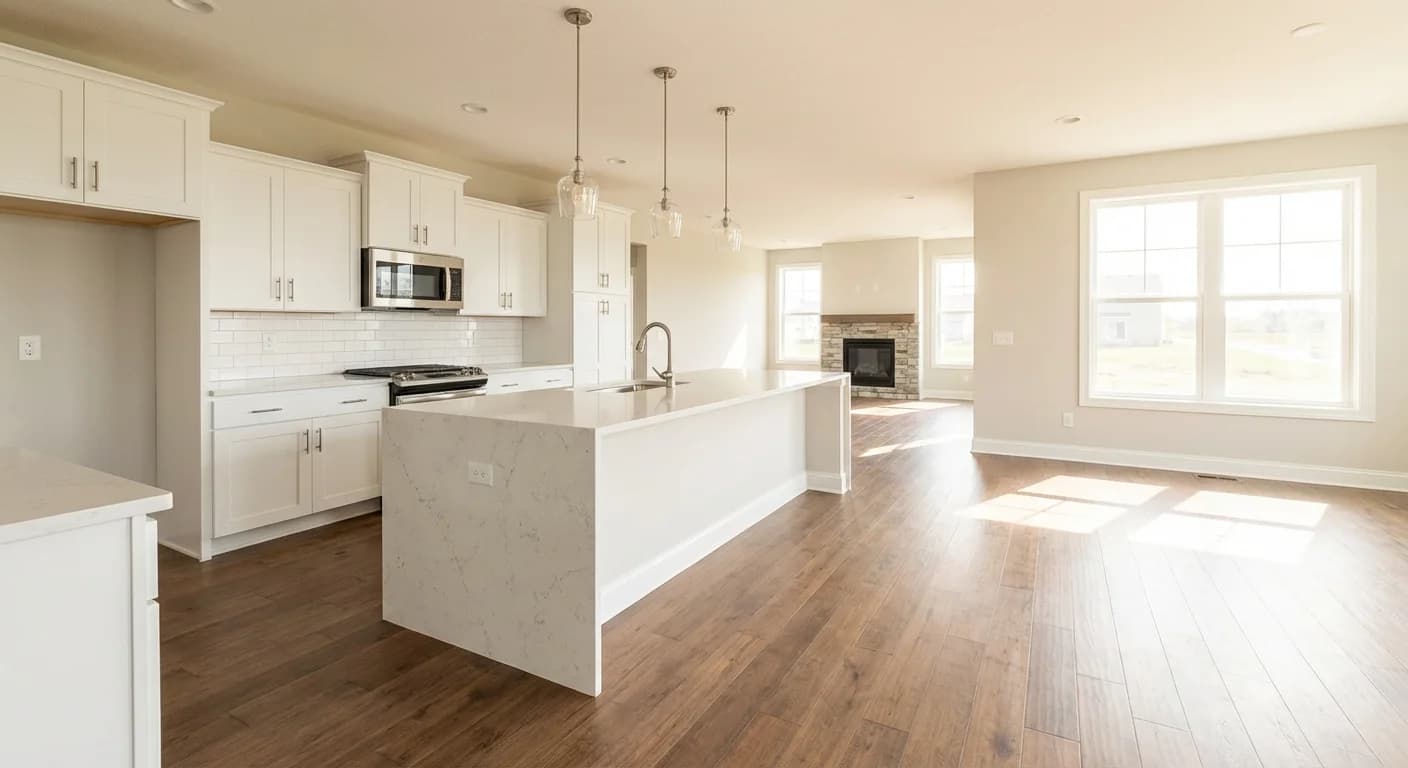
Kitchen and living area
Your interior package sets the foundation. Cabinets, countertops, flooring, and carpet all start from one coordinated palette.
Interior Package
This is the biggest single decision you’ll make. Ryan Homes bundles cabinets, countertops, flooring, and carpet into coordinated interior packages with names like Morrison, Murray, Decatur, Newton, and Maxwell. You pick a package as your starting point, and everything in it is designed to work together. You can upgrade individual items beyond the package, but the package sets the baseline look and feel of your home.
Cabinetry
Timberlake Cabinetry across several collections: Tahoe (traditional), Scottsdale (ornate), Sonoma (shaker), and Kinsdale (transitional). Your interior package sets the cabinet tier, but you can upgrade from there. With 9-foot ceilings, 42-inch kitchen cabinets are included. The jump between cabinet collections changes the entire personality of the kitchen.
Countertops
Formica laminate is included in the base price. Upgrades go to Formica 180fx (a convincing laminate that mimics stone), granite options like Uba Tuba, Luna Pearl, and Caramel Fantasy, or quartz in white and Carrara Gray engineered stone. The difference between laminate and stone is one of the most visible upgrades in the house.
Flooring
Shaw carpet comes in three tiers: Fastball II (base), Grand Cayman (mid), and Enticement (premium). Armstrong vinyl covers wet areas. Upgrades include luxury vinyl plank, engineered hardwood, and tile. Carpet padding is also tiered at 4, 6, and 8 lb. The base carpet is universally considered thin, so if you’re upgrading anything in this category, start with the padding.
Interior Paint
Sherwin-Williams throughout. The default is City Loft (SW7631) on walls with Bright White trim. Two-tone upgrades are available if you want different colors in different rooms. Paint is one of the easiest things to change after you move in, so this is a safe place to save money if your budget is tight.
Plumbing Fixtures
Chrome finish is standard on all faucets and fixtures. The whole-house brushed nickel upgrade runs about $995 and covers every faucet, showerhead, and coordinating piece. Kohler is one of the referenced partner brands. Matching your fixture finish across the whole house makes a subtle but real difference.
Lighting
Eight LED recessed lights are included, and you get to choose where they go. Upgrades include pendant fixtures, under-cabinet lighting, and ceiling fans. Ceiling fan rough-ins run about $325 each. Get the rough-ins now even if you don’t install the fans right away, because you can’t easily add them to first-floor ceilings after the house is built.
Appliances
GE appliances are included: range, microwave, and dishwasher. The GE Profile tier is available as an upgrade with better features and finishes. Everything is ENERGY STAR rated as part of Ryan’s BuiltSmart energy efficiency program.
Exterior Package
Like the interior, the exterior is bundled: siding color, accent siding, shutters, and front door color come together as a coordinated package. You’ll also choose your elevation and facade. Vinyl siding is standard with upgrades available.
Backsplash
Emser tile with a limited selection from Ryan. This is one category where many buyers skip the builder option and hire a tile installer after closing. The selection tends to be narrow and the pricing tends to be high compared to what you can get on your own. Worth considering if you have specific taste.
Doors, Trim & Hardware
Chrome hardware is standard with a brushed nickel upgrade available. Crown molding is offered as an add-on. You’ll also choose baseboard and casing profiles. Small details, but they touch every room in the house.
Structural Options
Morning rooms ($12–13K), finished basements ($13K+), garage extensions (~$3K), room conversions, and extra windows ($595 each). These have a hard deadline of about 10 days after contract signing. If you’re even considering a structural change, decide fast. This deadline is real and they don’t extend it.
How to Prepare for
Your Appointments
Ryan moves fast after contract signing. Having a plan before your first design center visit makes the difference between feeling in control and feeling behind.
Build your Envision wishlist before the appointment
After you sign your contract, you’ll get access to the Envision portal where you can browse every available finish with photos and pricing. Spend real time here. Walking into the design center with a built-out wishlist means you’re reviewing and refining instead of discovering and deciding under pressure.
Decide structural options first
Morning room, finished basement, garage extension, room conversions. These have a hard deadline of about 10 days after contract signing. That’s before your design center appointment even happens. Don’t let these sneak up on you.
Know that 90% of the model home is upgrades
The model home you fell in love with almost certainly has $30K+ in upgrades that aren’t in your base price. Ask your sales rep for the model’s full option list so you know exactly what was added and what it cost. This sets realistic expectations before you walk into the design center.
Budget for at least $15K–$25K in upgrades
Ryan’s base finishes are designed to hit an affordable price point, and the gap between what’s included and what most people want is meaningful. Formica to granite, base carpet to LVP, standard cabinets to a nicer collection. Those upgrades add up. Having a number in mind keeps you from the sticker shock that catches a lot of first-time buyers off guard.
Get the rough-ins even if you skip the fixtures
Ceiling fan rough-ins ($325 each) and recessed lighting placements are things you can’t easily add after the house is built, especially on first-floor ceilings. The rough-in is cheap compared to cutting into a finished ceiling later. Same logic applies to any electrical work.
Consider skipping backsplash and Guardian wiring
Two categories where buyers consistently say you can do better after closing. Ryan’s backsplash selection is limited and the pricing is steep compared to hiring a tile installer yourself. The Guardian/HS Technology premium packages for audio and networking are similarly overpriced. A contractor can do the same work for less once you have the keys.
Get the garage extension if it’s offered
At around $3K, this is one of the most common buyer regrets when skipped. You can’t add garage depth after the house is built. Compared to other structural options, it’s relatively cheap for something you’ll notice every time you park.
Bring inspiration photos
Screenshots from Pinterest, Houzz, or Instagram give your Design Specialist a sense of your taste. You don’t need a full mood board. A few photos of kitchens or bathrooms you like will help steer the conversation.
Pay attention at the pre-drywall meeting
This happens during construction, not at the design center, but it’s where you confirm outlet and switch placement. Walk every room and think about where your furniture will go, where you’ll charge your phone, where you’ll want a light switch. Changes after drywall are expensive.
Where to Spend and
Where to Save
Ryan's base finishes are designed to hit an affordable price point, which means the gap between what's included and what most people want is wider than you might expect. Formica to quartz countertops, base carpet to luxury vinyl plank, standard cabinets to a nicer Timberlake collection. Each of those jumps is a noticeable visual and tactile difference. The interior package system helps because it coordinates the upgrade for you, but you still need to decide how far up the ladder you want to go.
Do it now: Structural options (hard 10-day deadline), flooring, cabinets, countertops, and any electrical work like recessed lighting placement or ceiling fan rough-ins. These are either behind walls, under floors, or structurally locked in once construction starts. If you're going to upgrade anything, start here.
Can wait: Paint, door hardware, backsplash, basic light fixtures, and the Guardian premium wiring packages. Paint is cheap to change. Backsplash selection and pricing are both better from an independent installer. Guardian's networking and audio packages are consistently flagged by buyers as overpriced compared to hiring a contractor after closing.
The kitchen drives most of the upgrade spend because cabinets, countertops, and appliances all live in one room and they all need to work together. Your interior package handles the coordination, but if you're upgrading beyond the package, keep the combinations in mind. For a deeper look at each category and what's worth the money, see our complete guide to new construction upgrades.
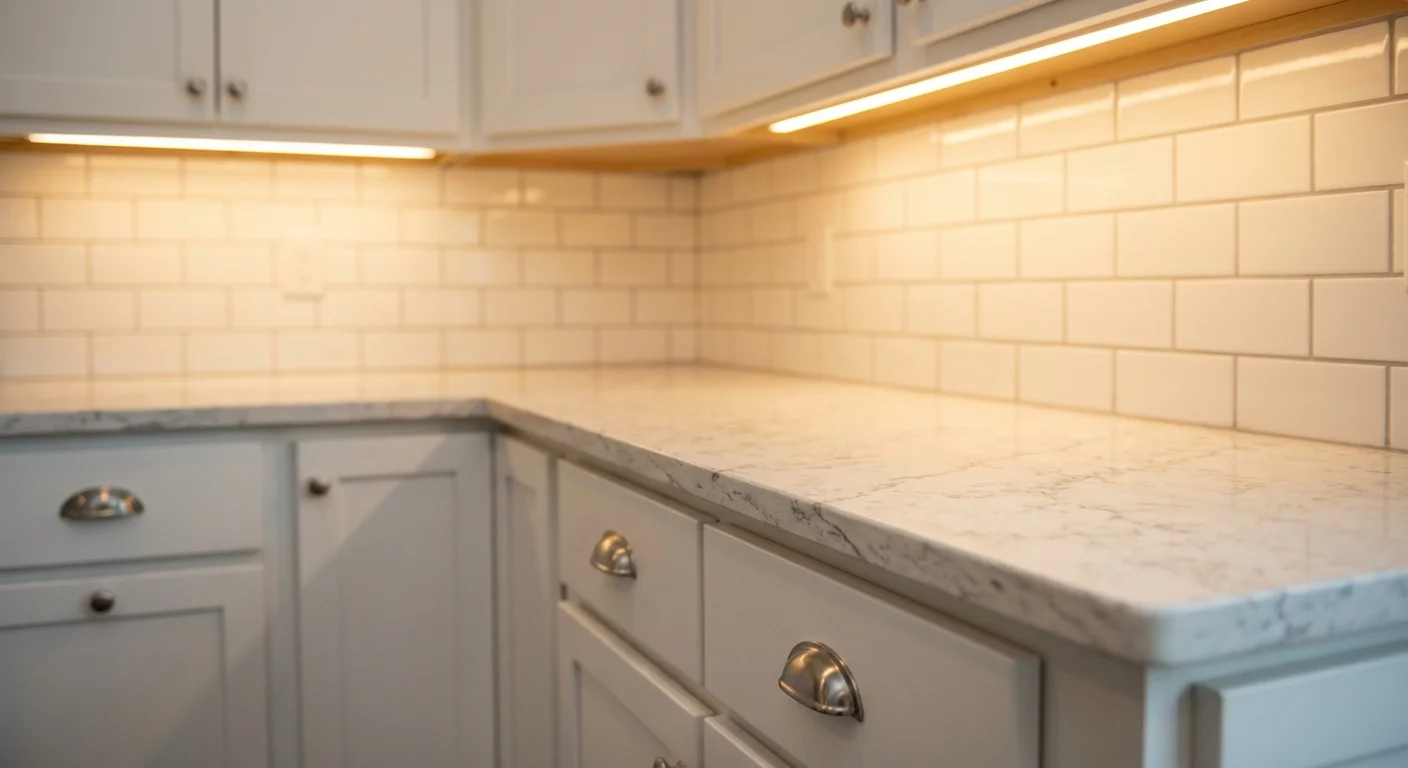
The junction that matters
Where cabinet meets countertop meets backsplash. Your interior package coordinates some of this, but if you're upgrading individual pieces beyond the package, you need to see how they look together. That's exactly what Finch does: you pick finishes from real swatches and it generates a photo of the room with those selections applied. You can try a demo with sample finishes to see how it works.
See What Your Upgrades
Could Look Like
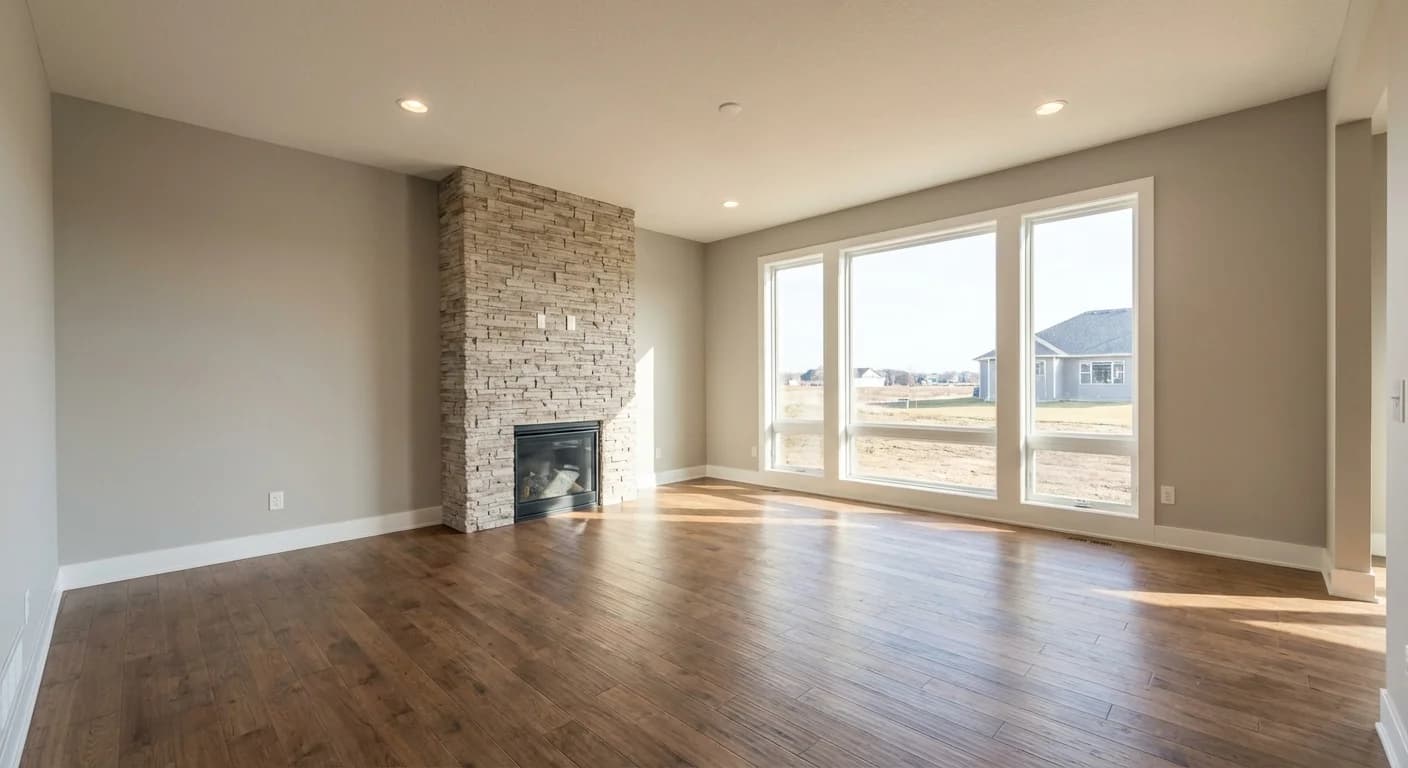
Envision shows you photos of individual finishes. But it can't show you what your kitchen looks like with those cabinets, that countertop, and that flooring all in the same room. That's the hard part.
Finch solves that. You pick finishes from real swatches and it generates a photo of the room with your selections applied. The demo below uses sample finishes, not Ryan's actual catalog, but it shows you what the experience looks like. Imagine doing this with your real floor plan and the actual options from the design center.
Are you a builder? See how Finch works with your catalog
Ryan's design center process moves faster than most builders because of the tight deadlines and the Envision pre-work. The interior package system takes some of the guesswork out of coordinating finishes, which is genuinely helpful. Where it gets tricky is when you want to upgrade beyond the package and need to see how individual pieces work together. That's what Finch was built for. You can try the demo to see what it's like, and if you want the real thing with your builder's catalog, it's worth mentioning to your sales rep.